
Many states across the country have held primaries and campaigns are setting their sites on the general election. As your campaign is gearing up, you are adding staff and volunteers, conducting outreach in the community, and working tirelessly to get your candidate’s messages across. The pace is only going to speed up as election day gets closer and the last thing you need is disruption to progress like an attack on your website or getting locked out of your email.
Before it gets even crazier, this is the perfect moment to get your cybersecurity house in order. Your goal? Implement core cybersecurity protections: the common sense measures that provide the highest level of protections against the most common and likely threats your campaign faces.
The three core cybersecurity protections DDC and others recommend include protecting accounts, websites, and email.
It is not hard to implement the core protections. In the blog we cover the why, what and how to do it. The good news is that any campaign or organization can implement core protections for free.
For DDC eligible campaigns – Federal campaigns, state parties and down ballot campaigns in GA, MI, OH and VA – DDC has FREE more robust protections available and onboarding and support help as well.
#1 Threat: Accounts Compromised / Core Protection #1 : Protecting Accounts
The Why: Accounts are the number one target of bad actors. Once an account is compromised—usually through stealing or hacking credentials via phishing—the attackers go after sensitive and proprietary information that could be used to embarrass the candidate or steal data that can be used to, for example, phish your donors to steal money.
The What: People and organizations in the political sector must protect all primary accounts–email, cloud, social, financial– with the strongest multifactor authentication possible. This means protecting logins with more than a password or a code sent to a phone or via email.
The How: It’s easy to harden and protect accounts with strong multifactor authentication. Passkeys, a digital credential now widely available, are the strongest account security available and are free. Passkeys reside on a device and grant account access, without a password, once you have access to a device using a biometric or PIN. Passkeys can’t be stolen or copied. Passkeys are available on most major platforms, including Google and Microsoft. Security keys are also highly recommended. They are physical devices that plug into a PC or phone that act in a similar fashion to a Passkey. One physical security key can be used on multiple services.
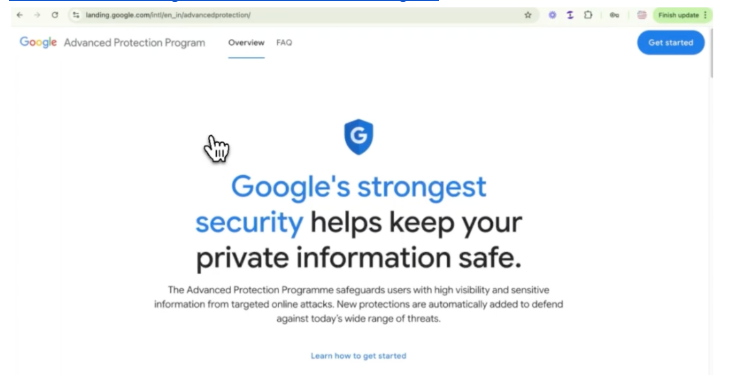
Supersize your security: Google and Microsoft both provide heightened security for high risk users in the political space. Google has their Advanced Protection Program. Microsoft offers Account Guard. Both are FREE and highly recommended for campaigns.
What DDC offers for FREE for eligible campaigns: DDC can help you up your account security by providing security keys from Yubico and Google. DDC can provide onboarding assistance to help your team implement passkeys and security keys, and turn on Google’s APP. sign up for Account Guard.
Securing accounts is not hard. These videos will show you the steps to make them more secure:
#2 Threat: Websites Attacked and/or Taken Down / Core Protection #2: Protecting Websites
The Why: Because of their importance to campaigns and organizations and the ease with which bad actors can launch attacks, websites are in the crosshairs. If a site can be taken down, defaced, or content changed it will be a public event that could result in donations not being processed, reputational harm to a candidate or organization, or the proliferation of disinformation. The most common website cyber incident is a Distributed Denial of Service attack or DDoS that uses bots (armies of infected machines) that overwhelm sites and make them inaccessible. In other attacks, bad actors gain access through weak or stolen credentials to change the website content.
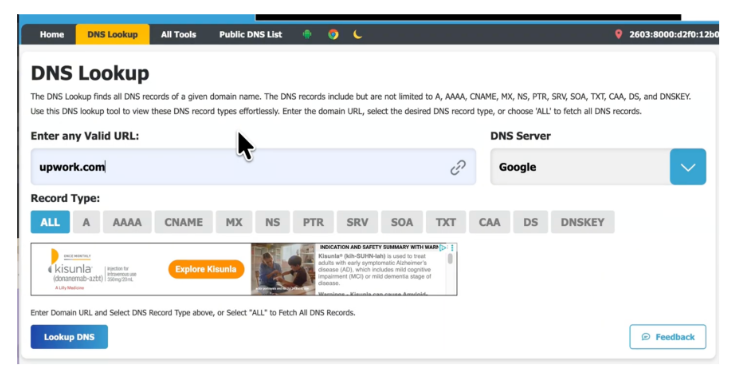
The DDoS protection status of websites is publicly available. DDC has researched the protection of status of more than 1,500 campaign websites of federal candidates and found that nearly 40% have no DDoS protection.
The What: All Websites need to be protected from DDoS attacks. Additionally, strong multifactor authentication must be used on all accounts that have access to content management systems and website administration.
The How: Cloudflare offers free DDoS Protections for any website and Google’s Project Shield provides free DDoS protections to websites of high risk organizations including campaigns. Check out DDC’s Knowledge Base for information on how to apply for Project Shield or set up the free Cloudflare.
What DDC Offers for FREE for Eligible Campaigns: Campaigns can get a Cloudflare for Campaigns, a business version of the product with increased protections, customer support, and other services, and assistance from DDC getting a Cloudflare account set up.
It’s easy to look up the protection status of your website. This video will walk you through that process.
#3 Threat: Outgoing email hijacked to impersonate the campaign / Core Protection #3: Protecting Inbound and Outbound email
The Why: As mentioned above, account compromise is the main goal of attackers and Email remains a preferred attack vector for compromising organizations via phishing.
Additionally, bad actors seek to impersonate legitimate organizations like campaigns to break down resistance to having people open emails and click on links or download malware. In the case of campaigns the goal of attackers is to exploit the reputation and relationships a campaign has with supporters through spoofing and impersonation to steal money and compromise accounts.
The What: Campaigns and political organizations must protect the inboxes of their staff. They must protect their domains from misuse through authentication of the domain that prevents impersonation.
The How: Protecting from phishing starts with strong account security (see above) that makes it difficult if near impossible to steal credentials.
Protecting campaign domains from being spoofed or impersonated is achieved through implementing DMARC, an email authentication standard. When your domains are as we say at DMARC, it signals to the services that transit email across the internet that that email is legitimate. Campaigns often use numerous services for sending communications. All need DMARC.
DDC often finds that domain consulting services or vendors that campaigns use to send emails have DMARC in place. However, DDC also finds that in many cases the main domain of the campaign does not have DMARC.
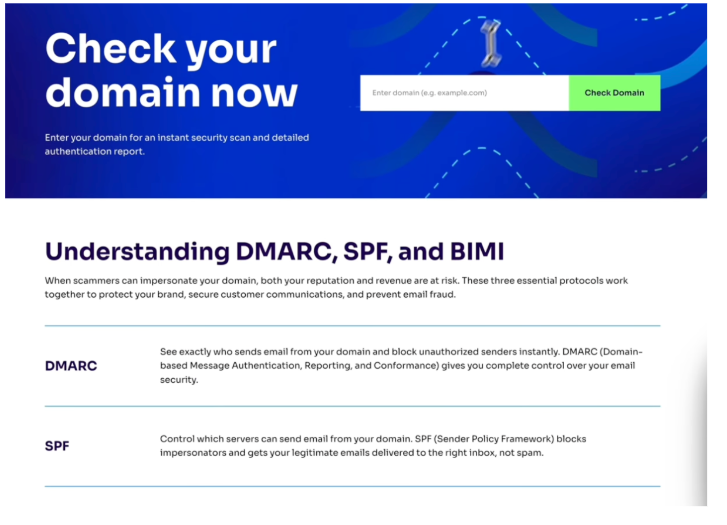
The DMARC status of domains is publicly available. You can easily check your DMARC status via Valimail’s free DMARC checker tool: https://www.valimail.com/domain-checker/. Valimail also offers a free toll to get started with DMARC. Than can found here: LINK
This video can walk you through the process of checking the DMARCstatus of any domain:
What DDC Offers for FREE for Eligible Campaigns: Valimail for Campaigns helps you get your DMARC and sending services properly configured to protect your domain and improve deliverability. DDC’s onboarding assistance can help you get the services you use to send properly configured.
Cloudflare’s Email Security or Sublime Security helps campaigns and committees protect from phishing attempts.
These are the core and minimum protections every campaign and committee should adopt. Some campaigns face or may experience higher risks in other areas, such as on social media or mobile devices. DDC has products to help address those risks too.
Feel free to book a consultation with our onboarding team to discuss your concerns and needs. Reach out anytime https://defendcampaigns.org/contact-us .